


How MoneyGO works
This page explains MoneyGO: payment direction, fees, currency and recipient details. Other documented methods are available in the payment guide.
MoneyGO currencies and game balance
MoneyGO declares support for USD and more than 30 local currencies; examples on its site include RUB, UZS, TRY and others. For the markets covered on this page — India, Bangladesh, Pakistan, Kenya, Nigeria, Canada and the UK — the cashier may show INR, BDT, PKR, KES, NGN, CAD or GBP depending on the selected storefront and your account region. Service support for a currency does not guarantee that a specific casino accepts it through MoneyGO.
Match the wallet currency, the currency of the payment in the cashier, and the currency of the game balance. If they differ, check the exchange rate and the final debit amount before confirming. The payment form should show exactly how much will be credited.
How to deposit at a casino via MoneyGO
- Step 1Open the cashier
Choose MoneyGO in the deposit section and the appropriate currency. Verify the minimum and maximum of the current transaction.
- Step 2Enter the amount
Compare the debit from your wallet with the credit to the game balance. Account for currency exchange and any separate outgoing fee.
- Step 3Confirm payment
Check the recipient and purpose in the service interface. Use only your own wallet.
How to withdraw from a casino to MoneyGO
Create a withdrawal only where the payment form lists MoneyGO as the destination. Match the wallet and account holder, check the receiving currency and keep both transaction IDs.
- Step 1Ensure the amount is available
Complete bets and check the main balance. Bonus balance may have separate restrictions.
- Step 2Choose your own wallet
Match the details to the account owner and the conditions of the original deposit.
- Step 3Check the final payout
Clarify the minimum, fee and currency of receipt in the request. Do not automatically apply a USD fee to an account in another currency.
- Step 4Track the crediting
First check the withdrawal status in the casino, then your MoneyGO history. If there is a delay, keep both transaction IDs.
MoneyGO fees: USD and other currencies
Below is the table of user fees from the official MoneyGO page. It describes the service's own charges; any casino, exchange or bank fees are separate.
| Operation | USD | Other currencies |
|---|---|---|
| Incoming transfer | 0% | 0% |
| Outgoing transfer | 0.50% for verified account; 1.90% without verification | 0% according to the published table |
| eVoucher redemption | 0% | Check the terms of the chosen product |
| eVoucher issuance | 1.90% | Check the terms of the chosen product |
For example, 0.50% of a $100 outgoing transfer is $0.50, while 1.90% is $1.90, before any other costs. If the currency is converted along the way, comparing percentages alone is not enough — compare the final credited amount.
MoneyGO: payment stalled or the amount differs
| Problem | Check | Next step |
|---|---|---|
| Money sent but casino does not show it | Transaction ID, amount, currency and time | Pass the data to casino support |
| Casino withdrawal pending | Profile, bonus and payment details | Clarify the processing stage |
| Received less than expected | Fee and exchange rate | Compare the receipt with the confirmed outcome |
Do not confirm a second payment until the status of the first is clear. Never share your password or one-time codes with the casino or anyone claiming to be a MoneyGO employee.
When to choose MoneyGO
Suitable
The wallet is already opened in the needed currency, the casino accepts MoneyGO in both directions, and the total costs are clear before confirming.
MoneyGO — questions and answers
Is MoneyGO automatically available for casino withdrawals?
No. A wallet account does not establish a casino payment route. The deposit and withdrawal directions must each be listed in the payment form.
Which currencies does MoneyGO support?
The service states support for USD and more than 30 local currencies; examples on its site include RUB, UZS, TRY. For the markets on this page (India, Bangladesh, Pakistan, Kenya, Nigeria, Canada, UK), INR, BDT, PKR, KES, NGN, CAD or GBP may appear if the selected storefront and account region allow it. Availability must be confirmed in your profile.
Is the MoneyGO fee always 0.5%?
No. For outgoing USD transfers, the published table shows 0.50% with verification and 1.90% without it. For other currencies, 0% is indicated; exchange and third-party charges are separate.
Can I withdraw without document verification?
MoneyGO and the casino each apply their own verification procedures. Having a wallet does not exempt you from the operator's KYC checks.
How do I install MoneyGO on mobile?
Use the installation section on the official service website. Do not download the client via a link from an unsolicited message.
Sources for MoneyGO conditions
Sources: MoneyGO currencies and user-fee table, accessed 9 September 2026. The Russia-selected 1xSlots cashier captured on 8 September 2026 is used only as a foreign interface example.
Interface screenshots
Open the image to examine the control elements and payment forms. The sums shown relate to the displayed operations.
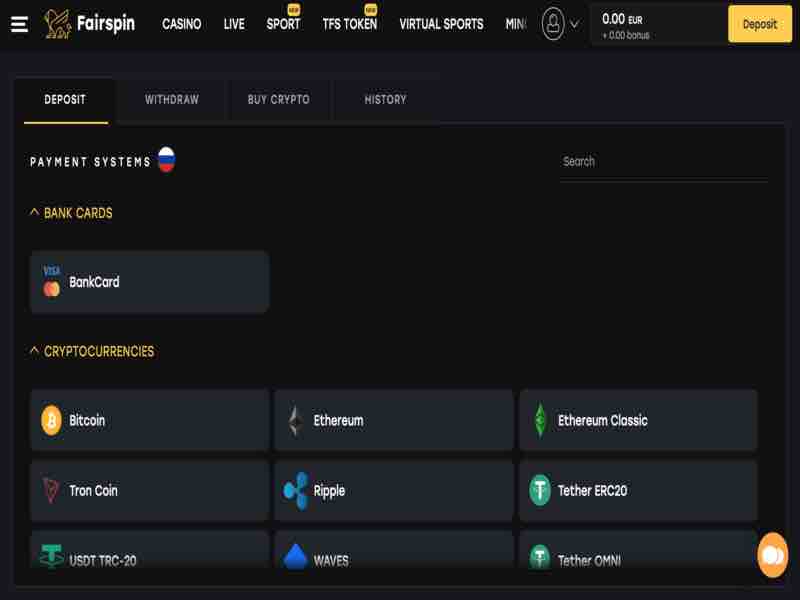
MoneyGO and Aviator illustrations
 Illustration: Play Aviator at an online casino with MoneyGo
 Illustration: MoneyGo advantages for Aviator betting
 Illustration: Top up Aviator deposit with MoneyGo
 Illustration: Withdraw Aviator winnings to MoneyGo wallet
Author and verification method
 Verifies payment methods
Evgeny Vodolazkin
Author and project analystEvgeny Vodolazkin is the author of materials on crash games and casino conditions. On this page, product rules, payment terms and interface screenshots are compared; amounts refer to the specified version and currency.
Operator terms, game rules and payment service materials are reviewed separately. Data on deposit acceptance does not replace withdrawal rules.
Read more
Unlike MoneyGo, acceptance is documented at a verified operator.
It appears in 1win's payment map for Kazakhstan — MoneyGo is not there.
8 Latin American currencies for deposit are confirmed at 1win.
The same operator whose payment documentation we checked on MoneyGo.
How to ensure the multiplier has not been tampered with — with your own hands.
A fast cashier is not a reason to play more often.